Retail Security
Retail CCTV Security Systems Guide
A plain guide to retail CCTV security systems, with camera placement, recording, staff safety, burglar alarm installation and business alarm links.
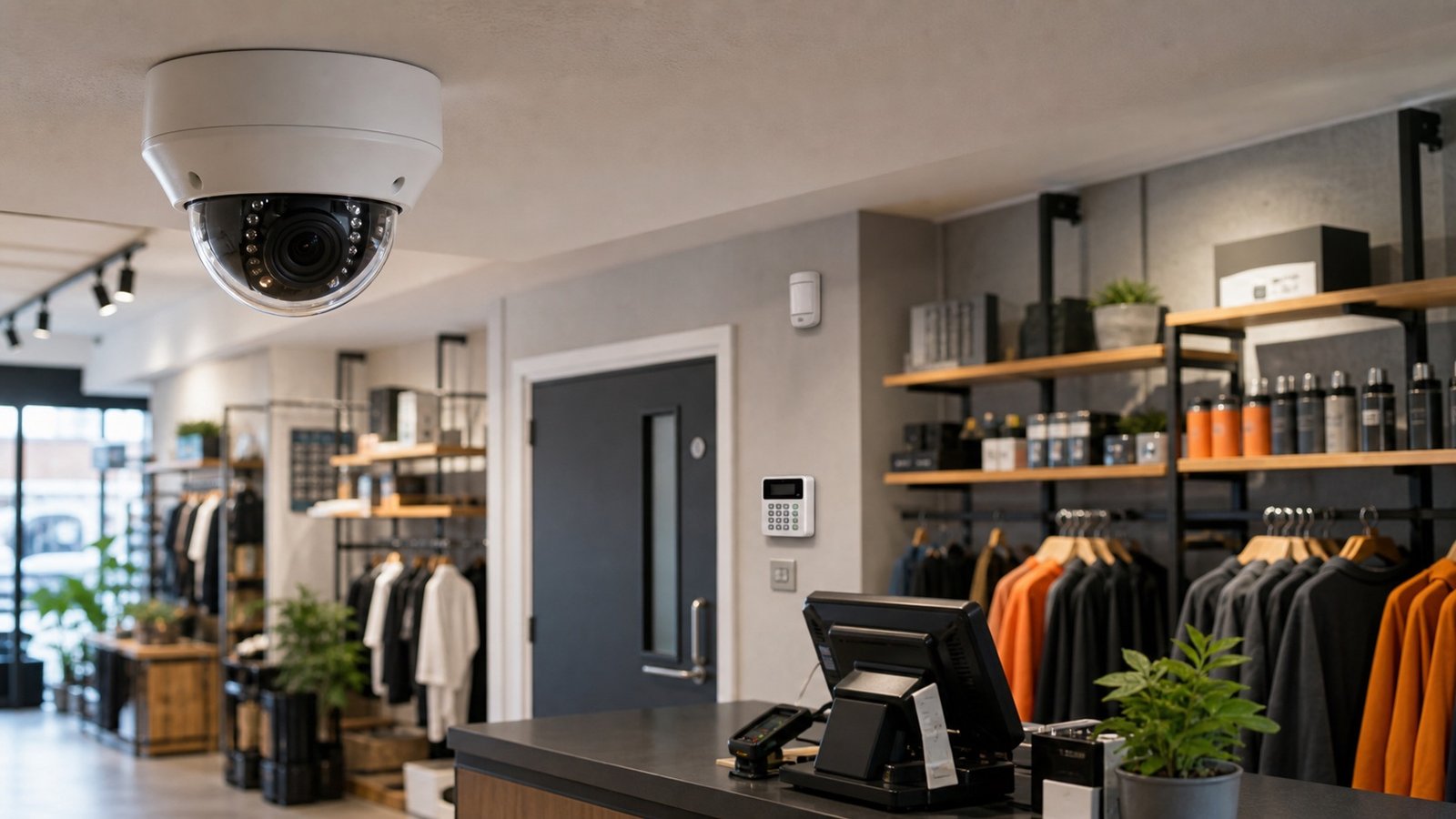
Retail Security
A plain guide to retail CCTV security systems, with camera placement, recording, staff safety, burglar alarm installation and business alarm links.
A useful retail CCTV system starts with the incidents the shop needs to prove: entry, payment, stock movement, staff safety, forced access and after-hours activity. The equipment matters, but the camera positions, access controls, handover and maintenance usually decide whether the footage is usable.
Retail CCTV security systems should help a shop work out what happened, protect staff, reduce blind spots, and make incidents easier to deal with after the fact. They should not be a random set of cameras bought because the box looked impressive.
For a retailer, the useful questions are very plain. Can you see who entered the shop? Can you check what happened at the till? Can you review the stock room, staff door, back entrance, delivery area, or car park when something goes missing? Can the manager export footage quickly if the police, insurer, landlord, or head office asks for it?
This guide explains the process and benefits of retail CCTV security systems, how they can work with burglar alarm installation, and when wider security alarms for business make sense alongside the cameras.
Most retail premises need a professionally planned CCTV system with cameras placed around entrances, tills, aisles, stock rooms, staff-only doors, rear exits, delivery points, and any external risk areas. The system should record clearly, keep access controlled, comply with data protection duties, and be maintained so footage is still usable when an incident happens.
The practical rule: do not buy retail CCTV by camera count alone. Buy it around the moments you need to understand later, such as entry, payment, confrontation, stock movement, forced access, or out-of-hours activity.
A shop camera has different jobs depending on where it sits. One camera might show a broad view of the shop floor. Another might need enough detail to identify a person at the door. A till camera might be there for payment disputes, staff safety, or stock investigation. A rear exit camera might matter most after closing time.
The mistake is treating every camera as if it has the same purpose. It does not. A wide overview camera helps you understand movement. It may be poor evidence for a face or a small item being handled. A close camera at the wrong height can catch the top of someone's head and not much else.
A good survey should decide whether each camera is there to detect activity, observe behaviour, recognise a person, or identify a person. That decision affects the camera position, lens, mounting height, lighting, and recording settings.
A proper retail CCTV installation is more than a box drop. It starts with the shop layout and the way people use it, then moves into equipment.
The installer should walk the premises and talk through opening hours, staff routines, stock value, previous incidents, customer flow, delivery routes, cash handling, external access, and any insurer or landlord requirements. For multi-site retailers, it also helps to agree a consistent naming and access approach across branches.
Each camera needs a job. Common retail positions include the main entrance, shop floor overview, till area, high-value display, stock room, staff-only door, rear exit, delivery point, shutter line, yard, and car park. The quote should explain what each position is expected to show.
The recorder should be sized around the number of cameras, image quality, frame rate, recording mode, and how long the shop needs to keep footage. Retention should be justified by the business need rather than guessed.
GOV.UK says businesses using CCTV must tell people they may be recorded, usually with clear signs. It also says access to recordings should be controlled, and people can ask to see footage of themselves. That means the system design should include user permissions, signage, and a simple process for retrieving clips.
Cameras, cabling, recorder, network access, monitor views, remote access, and backup settings should be tested before handover. The installer should check day and night images where relevant, then confirm that clips can be found and exported.
The manager should know how to log in, search, play back footage, export a clip, change authorised users, and report a fault. A planned fire and security maintenance contract can then keep cameras clean, recorders healthy, time stamps correct, and remote access under control.
Most shops do not need cameras everywhere. They need the right cameras in the right places.
Camera placement also needs a bit of restraint. Staff changing areas, toilets, private offices, and neighbouring premises raise obvious privacy problems. Good security design does not mean recording everything just because a camera could be fitted there.
Retailers usually feel the value of CCTV on ordinary trading days, not only after a break-in. A clear system makes small disputes and awkward incidents easier to check while memories are still fresh.
CCTV will not stop every problem. It is not magic. But it can remove a lot of uncertainty, and uncertainty is expensive when a shop is dealing with theft, damage, staff concerns, or repeated incidents.
CCTV becomes more useful when it works with the rest of the security system. For many shops, that starts with burglar alarm installation.
An intruder alarm detects activity when the premises should be empty. CCTV helps show what the alarm event looks like. Together, they can help a keyholder decide whether to attend, whether a monitoring provider needs to escalate, and what evidence exists afterwards.
Retail alarm design often includes door contacts, movement detectors, keypad or app control, sounders, signalling, and sometimes monitoring. For higher-risk sites, dual-path signalling may be sensible because it gives the alarm more than one route to send a signal. FIDEC can review this as part of commercial intruder alarm installation.
If your existing alarm still relies on old phone-line signalling, it is also worth reading our guide to alarm signalling upgrades. A camera system is weaker if the alarm that should trigger the response cannot communicate reliably.
The phrase security alarms for business can cover more than one system. In a retail setting, it often means intruder alarms, panic or hold-up devices where appropriate, monitored alarm signalling, access control alerts, door events, and CCTV notifications.
The right mix depends on the site. A small daytime-only shop might need CCTV, a simple intruder alarm, and good keyholder arrangements. A larger retailer may need monitored alarms, CCTV verification, staff access permissions, out-of-hours alerts, and planned maintenance across several branches.
Access control is especially useful for stock rooms, staff-only doors, offices, and shared retail units. It creates a clearer record of who can enter controlled areas and makes it easier to remove access when staff leave.
Retail CCTV records people, so data protection cannot be an afterthought. The ICO guidance covers CCTV planning, operation, signage, and public awareness. In practice, the manager needs to know why the system is used, who can view footage, how long footage is retained, and how requests for footage will be handled.
Cyber security matters too. NCSC guidance for smart security cameras recommends basic steps such as changing default passwords, keeping software updated, and avoiding remote access where it is not needed. For a shop, that means remote viewing should be limited to authorised users and set up properly rather than shared casually.
Two CCTV quotes can look similar and still produce very different systems. Ask the supplier to explain the design in plain English.
If the quote only lists camera models and a recorder, it is not a full retail CCTV specification yet. The missing parts usually show up later as poor footage, awkward exports, weak access control, or unclear support.
FIDEC designs, installs, upgrades, and maintains retail CCTV security systems for shops, convenience stores, showrooms, salons, trade counters, small chains, and mixed-use commercial premises. We can survey the site, explain where the real risk points are, and give a fixed-price quote that covers the practical details.
We can also review related systems at the same visit, including commercial CCTV installation, burglar alarm installation, door access control, and fire and security maintenance.
Book a free FIDEC site survey, call 0333 3662 007, or email info@fidecss.co.uk.
They should include a site survey, camera positions chosen for a reason, recording storage, controlled user access, clear signage, remote access where needed, commissioning, staff handover, and a maintenance plan.
The usual priority points are the entrance, exit, till, high-value stock, shop floor, stock room, staff-only door, rear exit, delivery point, and any external area where incidents have happened before.
Yes. CCTV can help verify alarm activations, support keyholder decisions, and provide evidence after an intruder alarm event. The details depend on the alarm, recorder, monitoring setup, and network.
Yes, businesses using CCTV normally need to tell people they may be recorded. Clear, visible signage is the usual way to do that.
Yes. FIDEC installs and maintains CCTV, intruder alarms, access control, fire alarms, extinguishers, and planned maintenance for commercial premises.